
1. Home
  2. Services
  3. User & Access Control
People & payroll

User & Access Control

Employees, roles and permissions in one place.

Create employee accounts, organise them into departments and decide exactly what each role can see and do. The right people get the right access across every company and branch.

  • Employee accounts
  • Departments
  • Roles and permissions

Part of GotIt Cloud Web portal & GotIt Mobile

Add User form with role, department and designation
How it works

User & Access Control in 4 steps

From first setup to everyday use.

  1. Step 1:

    Add employees

    Enter details, choose role, department and designation, and add a photo.

  2. Step 2:

    Define roles

    Create roles with an optional parent role to build a hierarchy.

  3. Step 3:

    Set permissions

    Choose what each role can do in each module, and fine-tune for individual users.

  4. Step 4:

    Organise scopes

    Group people into scopes and departments, with sub-departments under a root scope.

See it in action

Inside User & Access Control

Real screens from GotIt.

Add user in GotIt
01

Add people properly

Each user gets a role, department and designation from the start, so access and reports are right from day one.

  • Role, department and designation
  • Profile photo
  • Edit or deactivate any time
Permissions in GotIt
02

Permissions by role and by person

Permissions are set per role, such as Admin, HR, Manager and User, and can be customised for a specific user.

  • Role-based access groups
  • User-specific overrides
  • Scope-based visibility
Scopes in GotIt
03

Departments and scopes

Scopes & Departments organises employees into departments, teams and hierarchical units.

  • Codes, groups and colours
  • Sub-departments under a root scope
  • Visibility and status per scope
What you get

Everything included in User & Access Control

Employee accounts

Add employees with their personal and work details.

Departments

Organise people into departments and reporting lines.

Roles and permissions

Grant view, add, edit and delete rights per module.

Company scope

Limit access to the companies and branches a user manages.

Onboarding and exit

Bring people in and close their access when they leave.

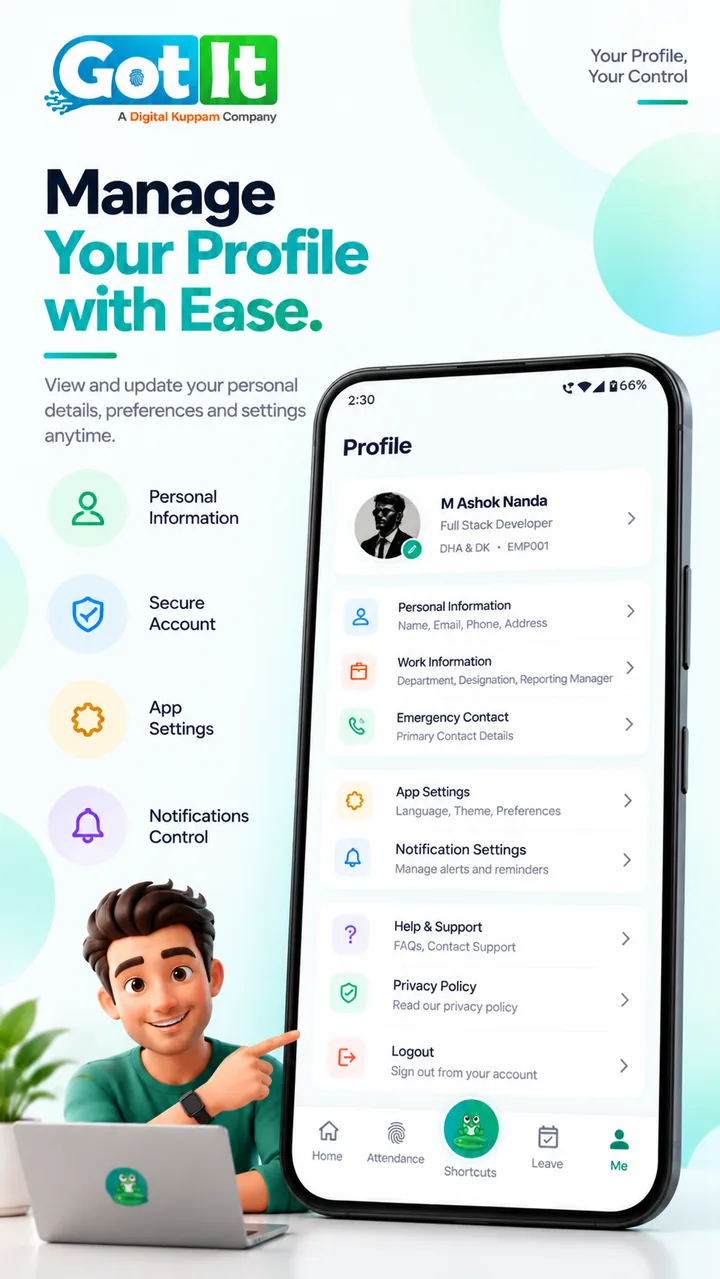
Self-service profile

Employees keep their own contact details up to date.

Who uses it

Built for HR and for every employee

Admins and HR

  • Create users and assign roles
  • Control access per module
  • Structure departments and hierarchy
  • Override permissions for a single user
  • Build a role hierarchy with parent roles
Where Web portal

Employees

  • View and update their profile
  • See their department and manager
  • Manage account security
  • Keep bank, PAN and UAN details up to date
  • Review login sessions and security
Where GotIt Mobile Web portal
GotIt Mobile profile screen with personal and work information
FAQ

Common questions

Can a manager see only their own branch?

Yes. Access can be scoped to particular companies and branches.

Can we create custom roles?

Yes. Define roles and choose which modules and actions each one can use.

What are scopes?

Scopes are departments, teams and organisational units. They can be nested under a root scope and used to limit what people see.

Can one person in a role have different access?

Yes. Permissions are set per role and can be customised for a specific user.

What does a user record hold?

Personal and contact details, role, department and designation, plus the banking and statutory details used for payroll.

Related

Works well with

GotIt support team ready to help you get started

Ready to try User & Access Control with your team?

Start a 7-day free trial with every module, or book a demo and we will walk you through it.